
For everyone who works and prays five times a day
Plan your dayaround the prayers.


For iPhone, iPad, Android and Wear OS.
The idea
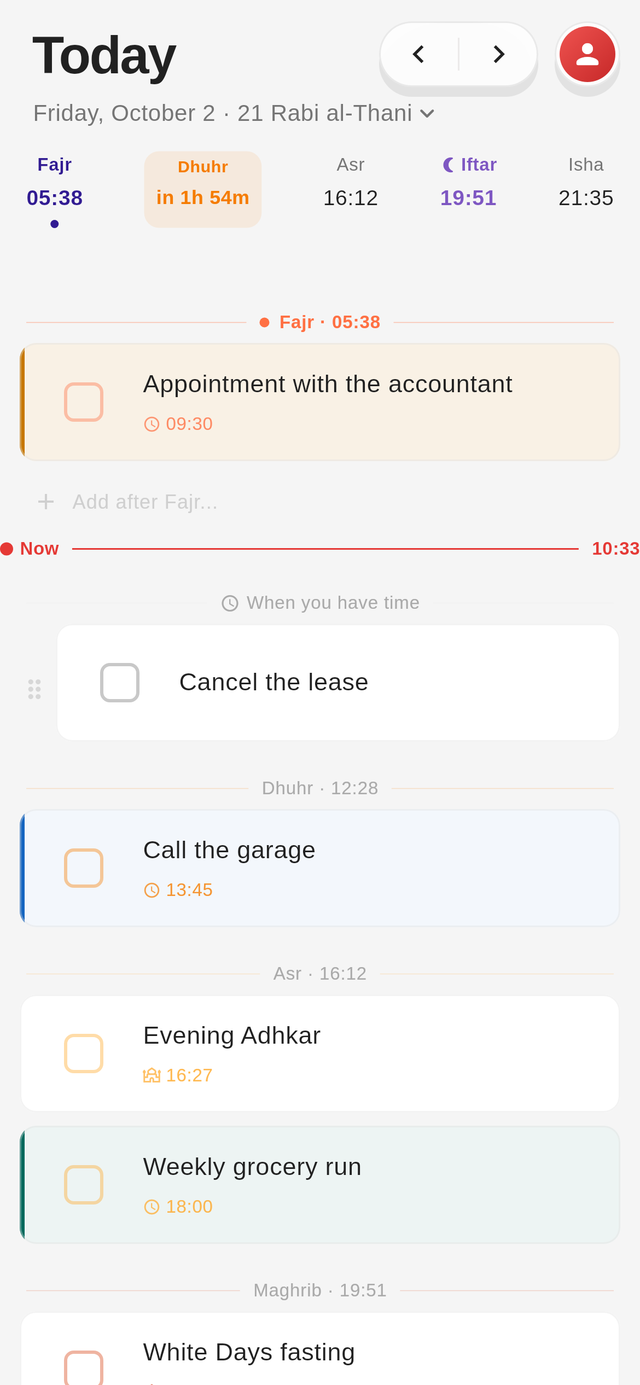
Every prayer has its place
- You put a task 30 minutes after Maghrib
- The next one fits in the window between Dhuhr and Asr
Prayer times
You know when iqama is
- You see your mosque's times, with jamaa and iqama
- If your mosque is offline, the app calculates the times and says so
Capture
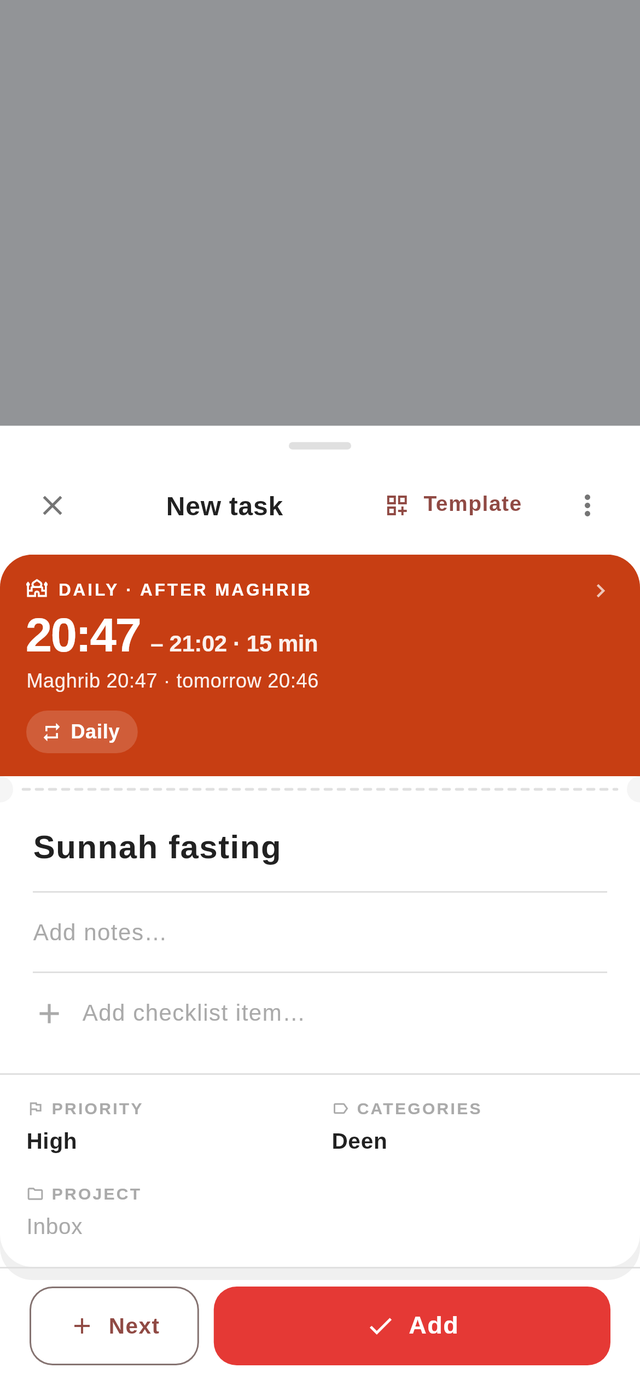
Plan around your prayers
- You pick the prayer a task belongs to and how long it takes
- Notes, checklist, priority and category are on the same screen
Ibadat
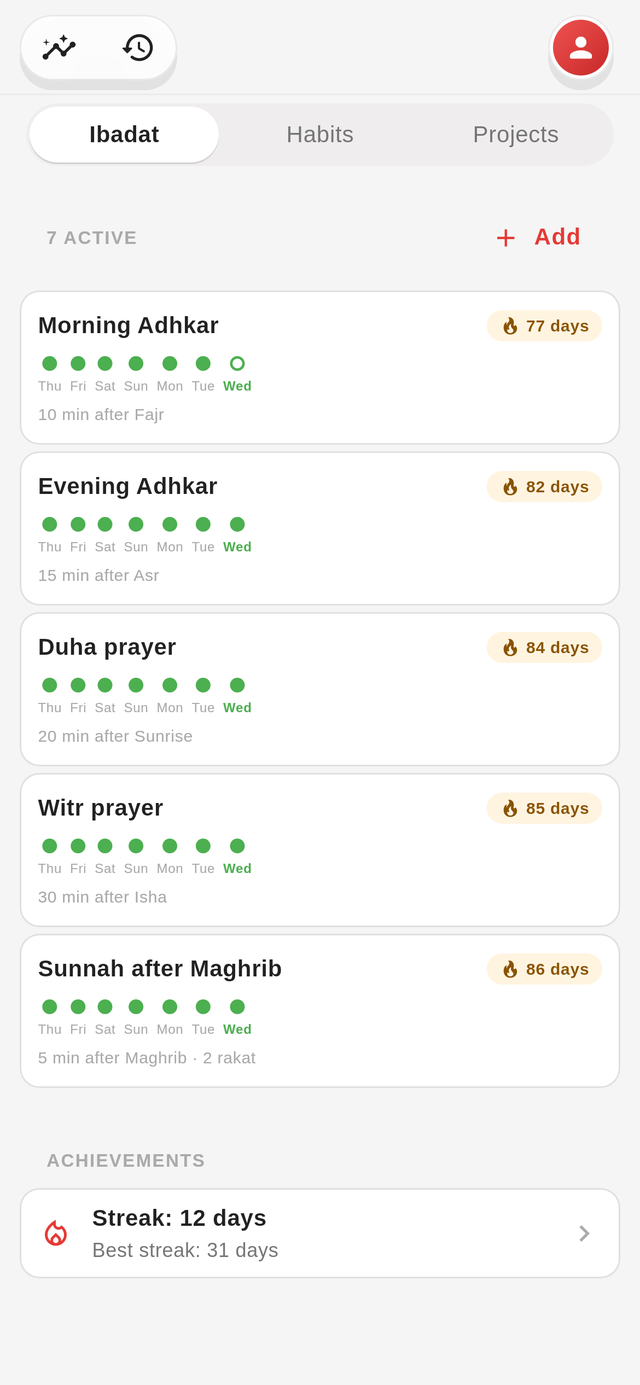
A set time for your adhkar
- You put the morning adhkar ten minutes after Fajr and witr after Isha
- You log a day you missed and keep your streak
Calendar Premium
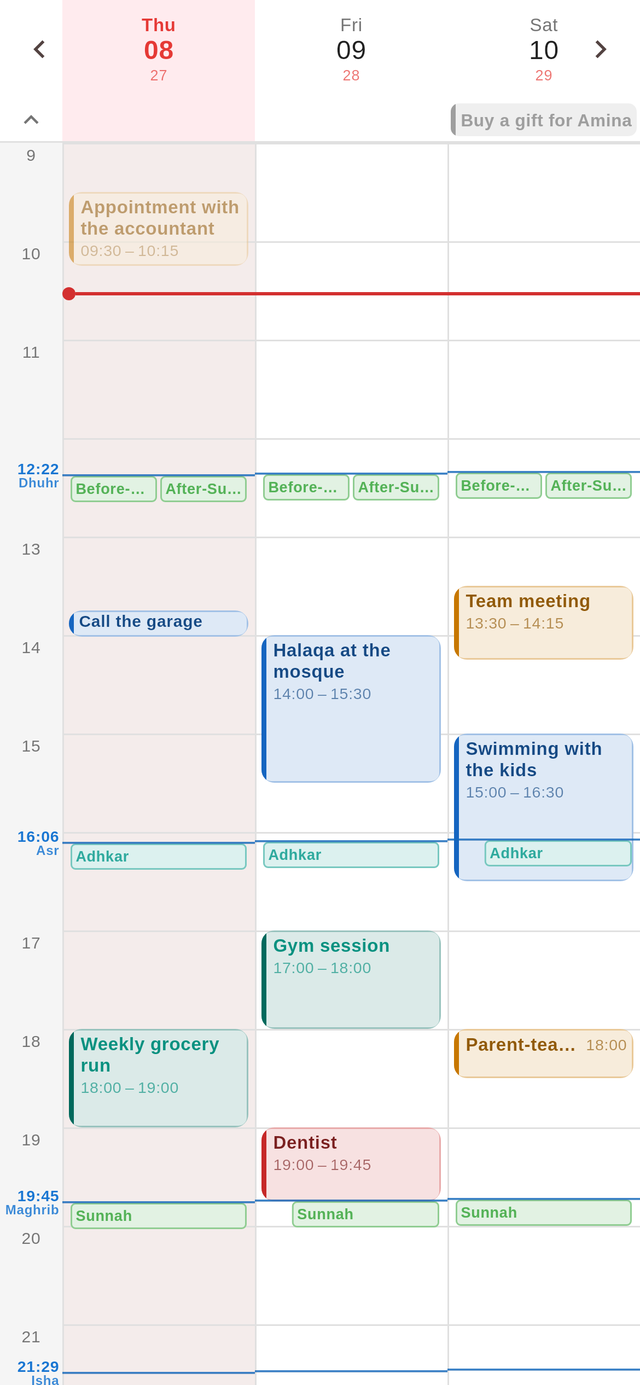
See where there's room
- Three days, a week or a month, with every prayer time drawn in
- Appointments and tasks take their project's color
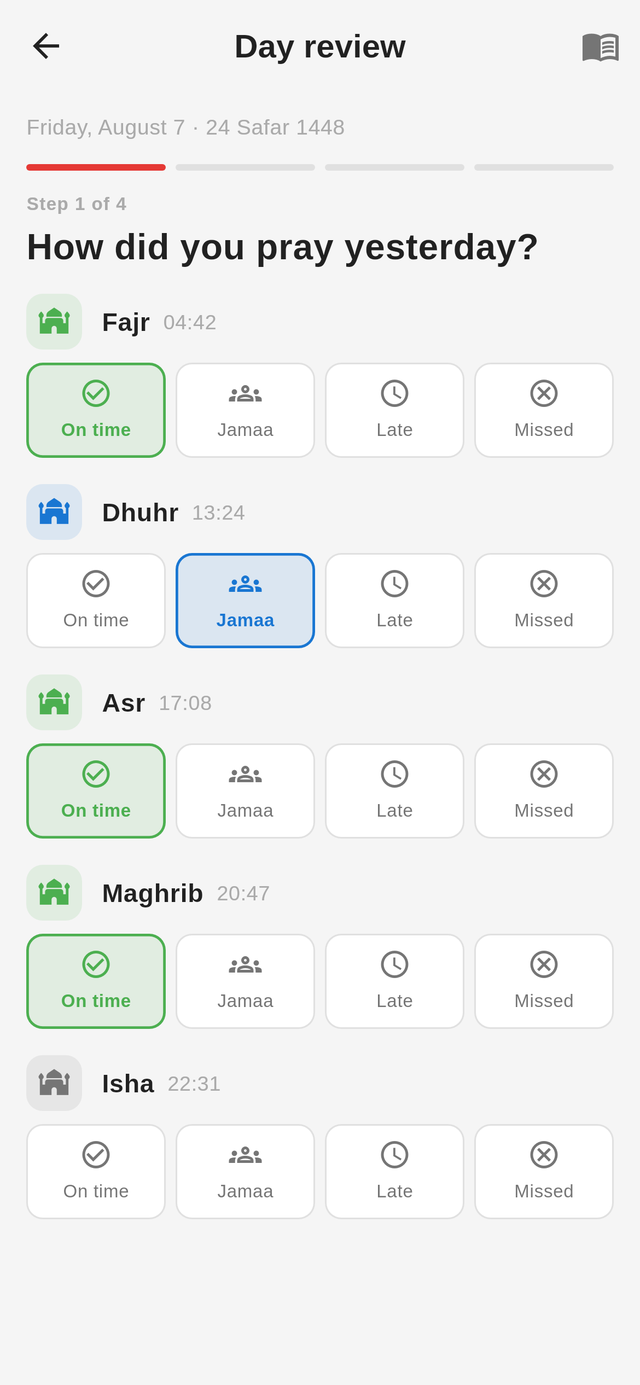
Day review
You see how the day went
- You mark each prayer as on time, in jamaa, late or missed
- Then you write down what you're grateful for and what you're planning
Also inside
Insights by prayer time Premium
You see when you get the most done: by prayer, by weekday and by hour.
Share a list with someone Premium
You share a project and assign the tasks in it. People join through a link.
No account
Your data stays on your device. You only need an account to sync or to share.
Nothing gets thrown away
Every task you finish stays searchable, and you can bring it back any time.
Badges for long streaks
Hold a streak long enough and you get a badge for it. The app keeps no score.
On your Wear OS watch
See the next prayer, tick off prayers and tasks. Tile and complication included.
Start the day where it actually starts
Not at seven. At Fajr.
For iPhone, iPad, Android and Wear OS.